
Why Your To Do List Keeps Growing But Your Results Do Not
Because adding more tasks is not a strategy. Sometimes it is just your brain begging for a better system.
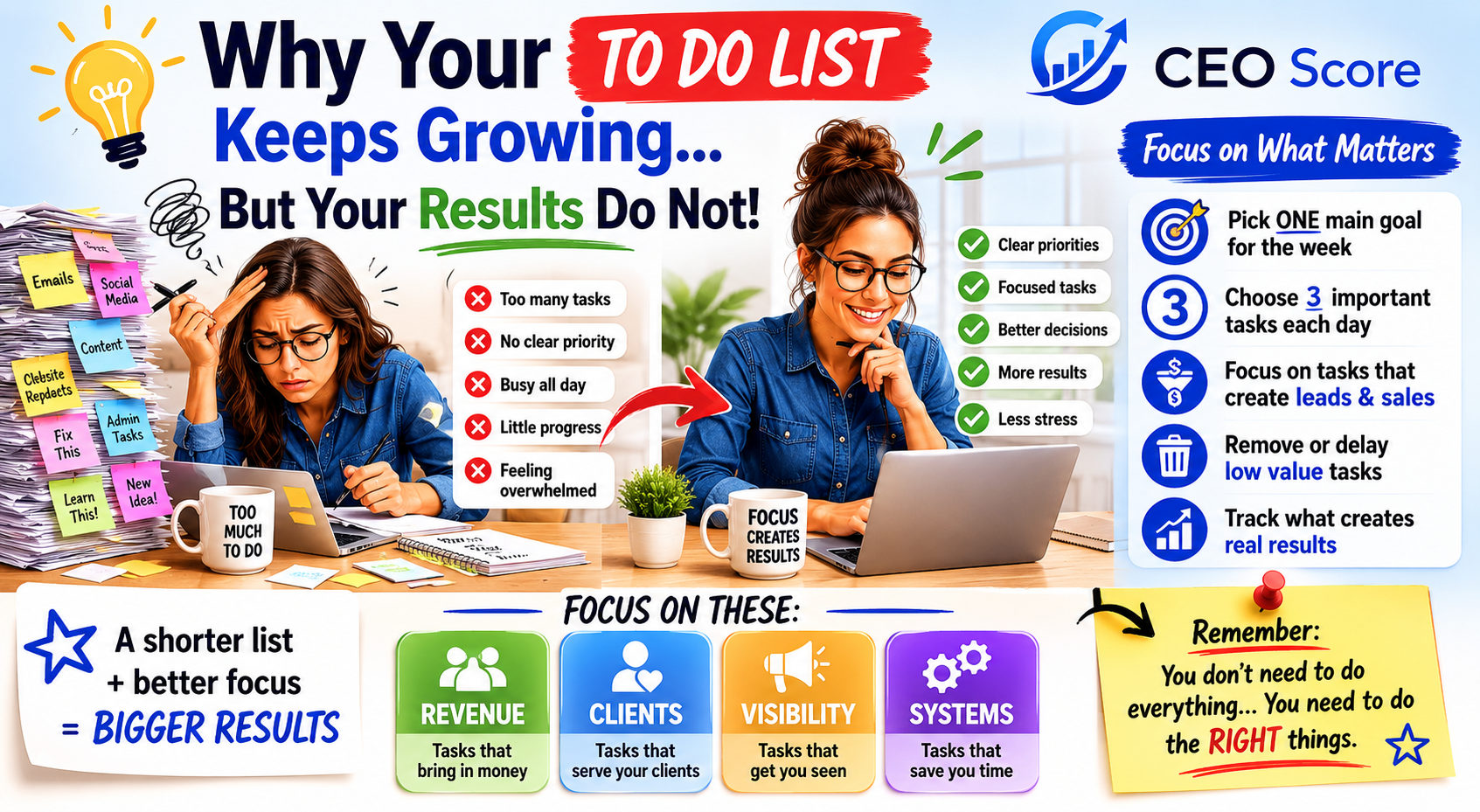
Your to do list is doing the absolute most. Notes app. Sticky notes. Random screenshots. Half-finished ideas. Tasks you wrote down three weeks ago and still keep transferring like they are family heirlooms.
And yet, after all that planning, organizing, rewriting, and “let me just get my life together real quick” energy, the results may still feel quiet. Not enough leads. Not enough sales. Not enough finished work. Not enough movement.
That does not mean you are lazy. It usually means your list is mixing every tiny task with the work that actually grows the business. When everything looks equally important, your brain treats everything like an emergency.
The list is not the enemy. The lack of priority is.
A to do list is helpful when it gives you direction. It becomes stressful when it turns into a storage unit for every thought, idea, reminder, fear, “someday” task, and random business assignment you saw online.
Business owners do this all the time. You add “fix website,” “post more,” “make offer,” “email people,” “create freebie,” “update bio,” “learn ads,” “clean Canva,” and “figure out my whole life” to one list. No wonder it feels chaotic.
The move is not to abandon the list. The move is to sort it like a CEO. Some tasks deserve your best energy. Some tasks can wait. Some tasks need a system. Some tasks were never yours to carry this week.
The Focus Filter
Before adding another task, ask what result the task is supposed to create. That one question changes the whole list.
Revenue
Does this help bring in sales, clients, payments, booked work, or paid opportunities?
Lead Flow
Does this help new people find you, understand you, trust you, or take the next step?
Client Delivery
Does this help you serve current clients, finish paid work, or improve the experience?
Later List
Can this wait, be simplified, delegated, automated, combined, or deleted completely?
Your task list may be hiding productive procrastination.
Productive procrastination is sneaky because it looks responsible. You are not doing nothing. You are very much doing something. The problem is that the something may not be connected to the result you keep saying you want.
Changing a graphic for the fifth time feels productive. Reorganizing files feels productive. Watching another training feels productive. Rewriting your bio for the 19th time feels productive. But if you are avoiding follow-up, pricing, selling, finishing, publishing, or asking people to take action, the list is protecting you from the uncomfortable work.
Signs your to do list is running the business instead of supporting it.
Your list may be hurting your results if it keeps you active but not focused. No shame. This happens to smart people with too many tabs open in their brain.
- You rewrite the same tasks every week.
- You stay busy but do not see more leads, sales, profit, or finished work.
- You check off small tasks while avoiding the tasks that would actually move the business.
- You keep adding new ideas before finishing the current plan.
- You feel behind even after working all day.
- You spend more time planning the work than shipping the work.
- You feel guilty resting because the list is never done.
- You do not know which task deserves your best focus first.
Stop using your brain dump as your actual plan.
A brain dump is great. Get every thought out of your head. But please do not make the raw brain dump your daily schedule. That is like pouring a junk drawer onto the table and calling it interior design.
After the brain dump, sort the tasks into categories. This is what makes the list usable instead of overwhelming.
- Money-moving tasks: selling, follow-up, client delivery, pricing, offers, payments, proposals.
- Visibility tasks: content, outreach, website updates, bio clarity, free tools, email list growth.
- System tasks: templates, trackers, automation, organized files, repeatable workflows.
- Parking lot tasks: ideas that are not for this week, not for this offer, or not for this season.
The 7-day task list reset
Use this reset when your list feels loud, your energy feels scattered, and your results are moving at turtle speed with Wi-Fi issues.
- Day 1: Brain dump everything without judging it.
- Day 2: Sort tasks into revenue, leads, delivery, systems, and later.
- Day 3: Choose one business outcome for the week.
- Day 4: Pick three daily tasks that support that outcome.
- Day 5: Finish or remove one task you keep dragging forward.
- Day 6: Follow up with warm leads, past buyers, or interested people.
- Day 7: Review what created movement and what just created noise.
Pick one weekly outcome before picking daily tasks.
If your week has eight priorities, your focus is already in danger. Choose one main business outcome first. Then choose the tasks that support that outcome.
That outcome could be getting 10 new leads, finishing one offer page, following up with 20 warm contacts, posting three pieces of content that send people to one tool, or cleaning up your pricing so you can stop panicking every time someone asks for the number.
When the outcome is clear, the task list becomes easier to edit. If the task does not support the weekly outcome, it probably does not need your best energy today.
Choose three tasks a day, not 37 tiny promises.
You can keep a master list. That is fine. But your daily list needs breathing room. Three meaningful tasks will usually beat 37 random tasks that make you feel like you failed before lunch.
- One task that can create revenue or lead flow.
- One task that helps you serve or finish current work.
- One task that makes the business easier to run tomorrow.
Connect your tasks to business results.
Every task should be able to answer one question: what result is this supposed to create?
The result could be more leads, more sales, better delivery, stronger visibility, cleaner profit, fewer repeated questions, or less wasted time. If you cannot connect the task to a real result, it may belong on the later list.
- Does this support my current goal?
- Will this help someone take the next step?
- Is this the best use of my time right now?
- Am I doing this because it matters, or because it feels safer than selling?
Use tools when your brain keeps turning tasks into confetti.
If your to do list keeps growing, it may not only be a productivity problem. It could be a clarity problem, pricing problem, lead problem, visibility problem, or systems problem. That is why CEOscore.ai tools are built to help you find what to fix first instead of trying to fix the whole internet by Tuesday.
Start with the Productivity Score Calculator if you feel busy but not productive. Use the Simple Time Management Calculator if your hours are disappearing. Use the CEO Score Quiz if you need a bigger picture view of what is actually blocking your next move.
Want the shortcut?
The Productivity Score Toolkit gives you prebuilt, editable worksheets and spreadsheet-style trackers so you can stop rebuilding your planning system from scratch.
Use it to sort tasks, spot low-value work, track focus, clean up your weekly plan, and turn your list into a real action plan instead of a stress museum.

What to do next.
If your to do list keeps growing but your results do not, start with one reset: choose one weekly outcome, pick three meaningful tasks a day, and move everything else into a later list until it earns a reason to come back.
Your to do list is not supposed to boss you around. It is supposed to support the business you are building. You do not need to do everything today. You need to do the right thing next.
Questions about to do lists and productivity
Why does my to do list keep growing?
Your list may keep growing because you are adding tasks without sorting them by priority, result, or timing. A brain dump helps you clear your head, but it still needs to become a plan.
Why am I busy but not seeing results?
You may be spending too much time on low-value tasks or productive procrastination. Busy work can fill your day, but it may not create leads, sales, profit, finished work, or cleaner systems.
How many tasks should I focus on each day?
A simple starting point is three main tasks each day. Choose tasks that connect to your main business outcome for the week.
How do I know which task matters most?
Ask which task supports revenue, lead flow, client delivery, visibility, systems, or long-term growth. The best task should connect to a real business result.
Which CEOscore.ai tool should I use first?
Start with the Productivity Score Calculator if you feel busy but not productive. Use the CEO Score Quiz if you are not sure what to fix first.
Educational use only. CEOscore.ai articles and tools are for business planning and clarity. They are not legal, financial, tax, accounting, or professional advice.